Inserting the ShinyStat™ code in Joomla 3.0 sites


How can i insert the ShinyStat code in sites created with Joomla?
For those who wish to insert the ShinyStat™ code within their sites created with Joomla in it's 3.x version (3.0 or higher), it is possible through an easy to download plugin provided by ShinyStat™.
Configuration steps:
1. Download and save the plugin on your computer;
2. From the menu “Extensions”, select “Extensions Manager" > "Install";
3. Select the file previously saved on your computer (step 1)
4. Click on “Upload&Install”
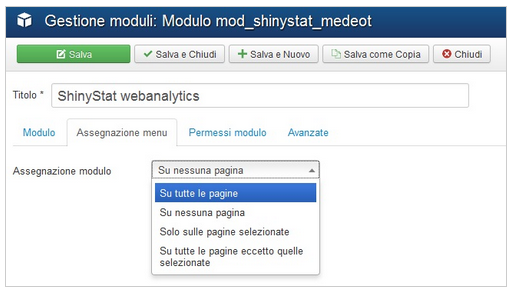
For more information visit our blog at : http://www.shinystat.com/blog/it/modulo-shinystat-per-joomla-3-x/
ChangeLog
02/05/2016 - Version 3.01 added support https:// sites
10/03/2017 – Version 3.2.0 simplify code and added version number
03/11/2021 – Version 3.2.1 Changes to manifest for php 8 compatibility and to allow module update if already installed
22/11/2021 – Version 3.2.2 Support for Joomla 4.x
10/02/2026 – Version 3.2.3 Compatibility with Joomla 6.x